|4 min read
كيف تفعّلوا متصفح Claude داخل Claude Code
claude-codebrowserclaude-in-chromeguide
Claude Code صار يقدر يفتح المواقع ويتصفحها من داخل التطبيق. هاي طريقة التفعيل الحالية، وبعدها البرومبت الكامل للتجربة.
1. افتحوا القائمة واضغطوا Customize
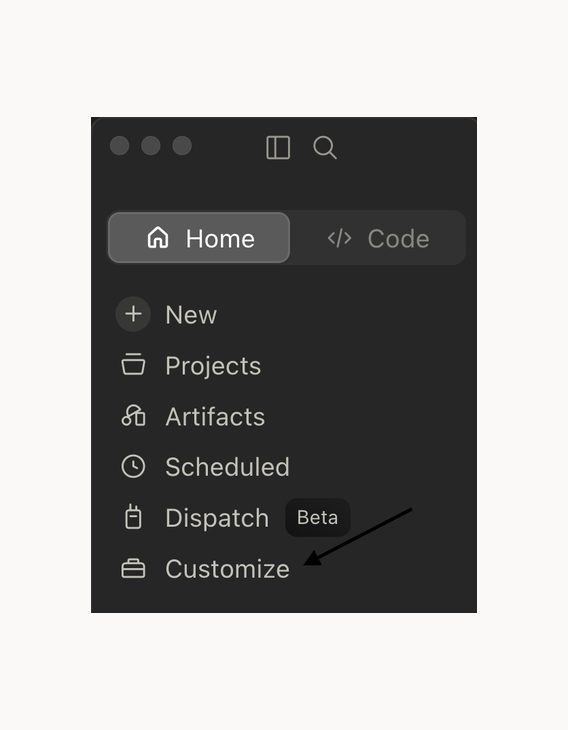
من تطبيق Claude، افتحوا القائمة من الزر الجانبي واضغطوا Customize.
2. اختاروا Claude in Chrome
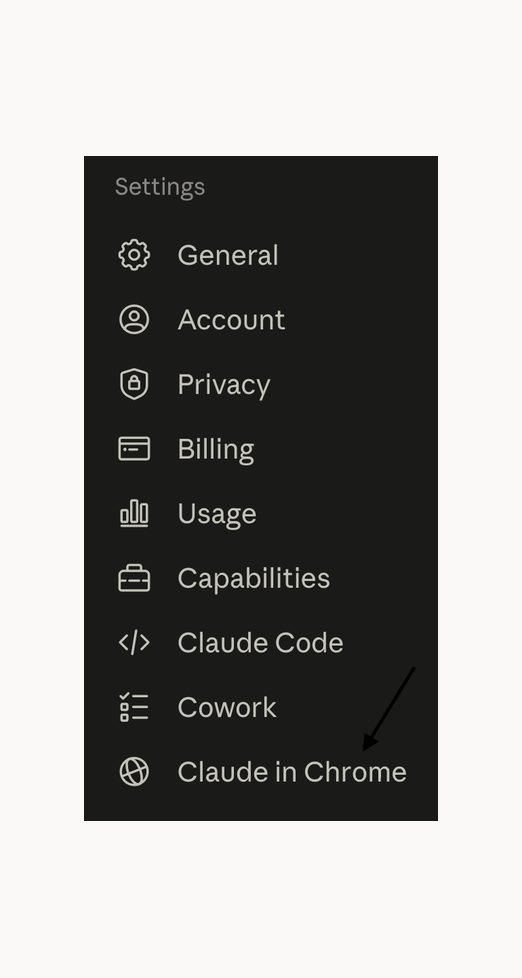
من القائمة اختاروا Claude in Chrome. التفعيل حالياً من هون، مش من Settings → Capabilities.
3. فعّلوا الصلاحية
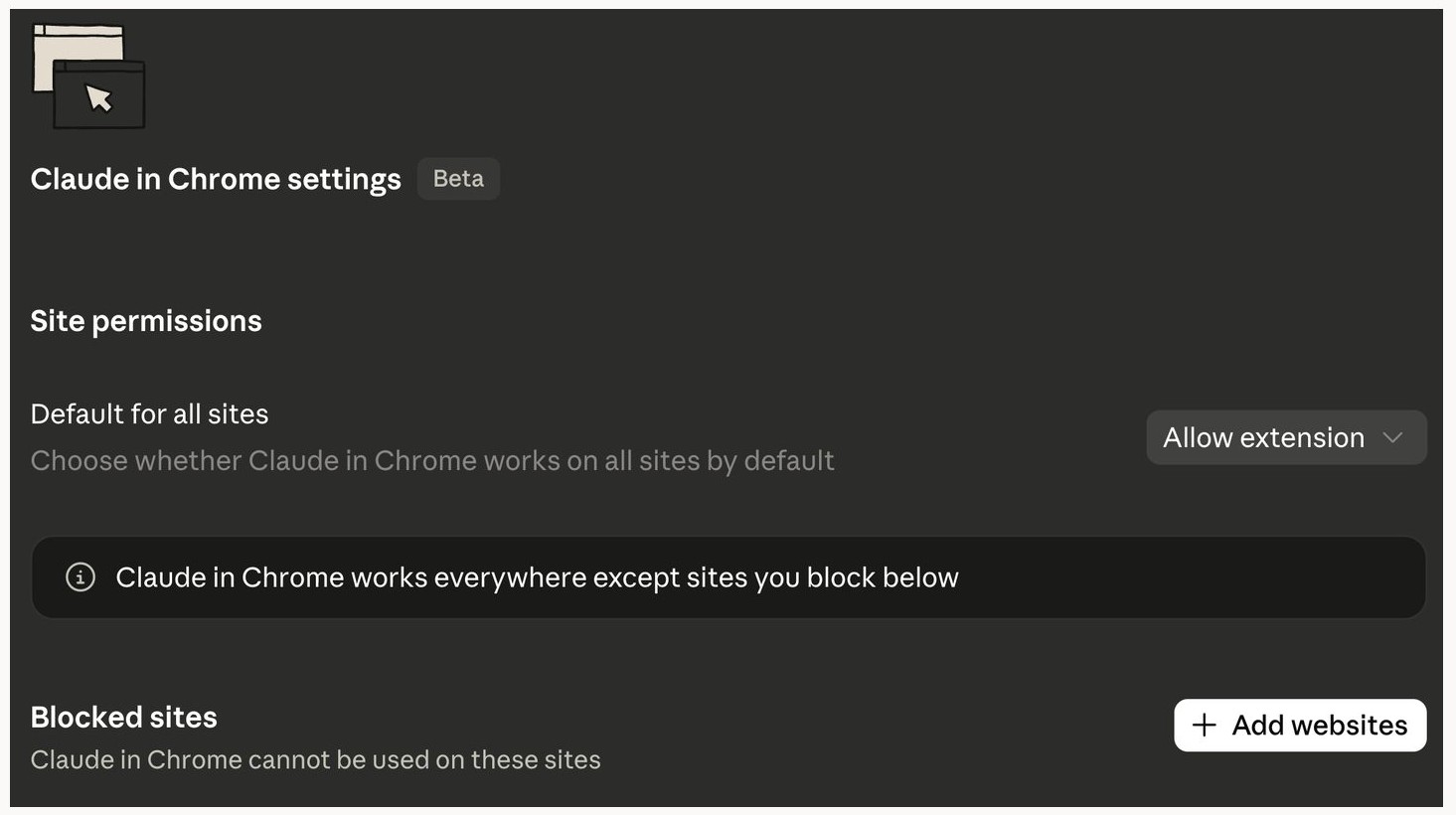
تحت Site permissions تأكدوا إن الخيار على Allow extension. إذا في موقع محدد ما بدكم Claude يفتحه، أضيفوه تحت Blocked sites. وإذا الموقع موجود هناك بالغلط، شيلوه.
جرّبوا إنه شغال
افتحوا Claude Code واكتبوا طلب بسيط مثل:
Open https://suheilai.com and tell me the main headline you see.
إذا فتح الموقع ورجع بالعنوان الموجود على الصفحة، المتصفح شغال.
البرومبت الكامل من الفيديو
Open my current homepage and inspect the hero section.
Then browse three strong modern websites from credible AI builders, technical creators, or developer tools. Study how they communicate the value clearly, establish trust, and guide a first-time visitor.
Do not copy their designs.
Use the strongest principles you find to improve only my homepage hero. Preserve my existing brand direction, colors, and overall visual identity.
The new hero should quickly communicate:
who I am
that I build practical AI systems
that I create useful Arabic AI content
what a visitor should do next
Implement the improvement in the local project, start the development server, and test the final result on desktop and mobile.
Do not deploy anything. Show me the before and after and explain which researched principles you applied.
بدّلوا وصف الموقع أو الجزء اللي بدكم Claude يشتغل عليه، واتركوا باقي البرومبت مثل ما هو.
شو بصير بعدها؟
- •Claude بيفتح موقعكم من داخل التطبيق
- •بيفتح المواقع المرجعية اللي طلبتوها
- •بقارن بينهم وبيطبق التحسين على الجزء المحدد
- •بعرضلكم النتيجة حتى تراجعوها

إذا ما فتح الموقع، ارجعوا على Customize → Claude in Chrome وتأكدوا من Allow extension ومن قائمة Blocked sites.